> For the complete documentation index, see [llms.txt](https://help.refractbot.com/llms.txt). Markdown versions of documentation pages are available by appending `.md` to page URLs; this page is available as [Markdown](https://help.refractbot.com/online-dashboard/subscription.md).

# Subscription

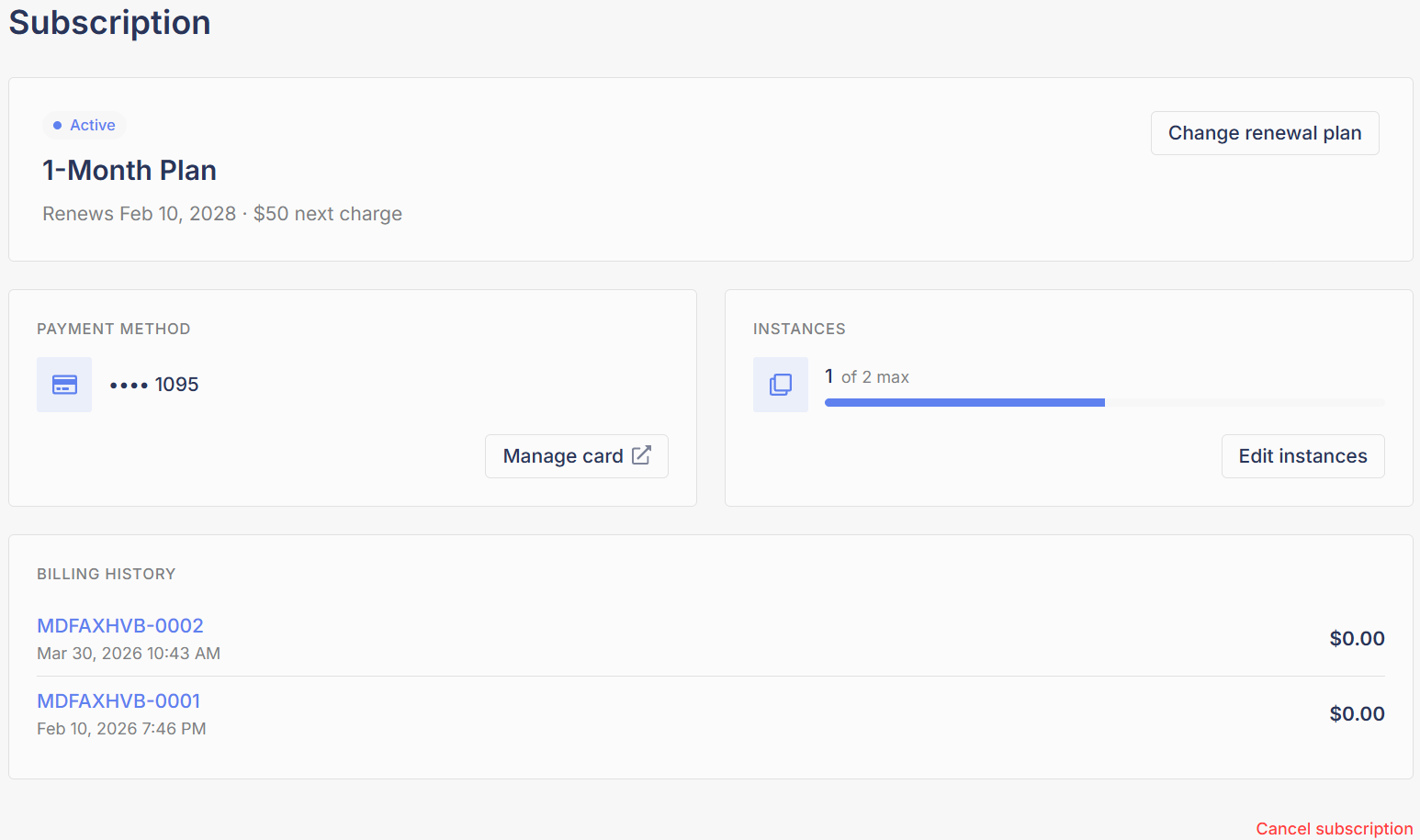
Everything about your Refract license is managed from the **Subscription** tab of the dashboard: your renewal plan, payment card, instances, and invoices.

Manage your subscription here: [dashboard.refractbot.com/subscription](https://dashboard.refractbot.com/subscription)

<figure><img src="/files/yhkyFt0XY4IpX4P9TpAu" alt="The Subscription tab of the Refract dashboard"><figcaption><p>The Subscription tab: your plan, payment method, instances, and billing history in one place.</p></figcaption></figure>

## Renewal plans

Refract offers four renewal plans. Longer plans cost less per month:

| Plan     | Price      | Per month | Discount |
| -------- | ---------- | --------- | -------- |
| 1 Month  | $50 / mo   | $50       | None     |
| 3 Month  | $135 / 3mo | $45       | 10% off  |
| 6 Month  | $255 / 6mo | $42.50    | 15% off  |
| 12 Month | $480 / yr  | $40       | 20% off  |

Pricing is current as of this writing and may change.

### Change your renewal plan

{% stepper %}
{% step %}

#### Open the plan picker

On the Subscription page, click **Change renewal plan**.
{% endstep %}

{% step %}

#### Pick your new plan

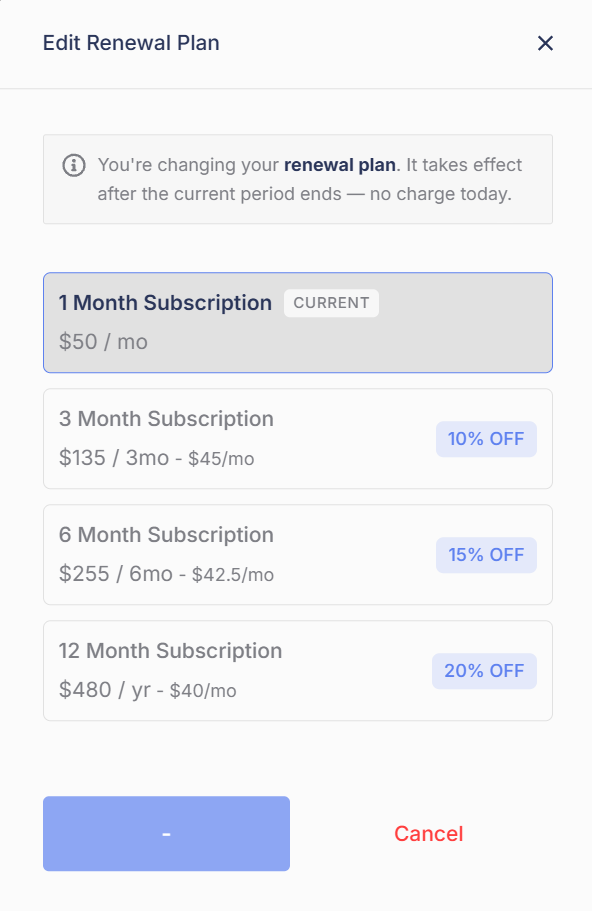
Select the plan you want. Your current plan is marked **CURRENT**.

<figure><img src="/files/cSuwckf5L5R3Y5wixcrT" alt="Edit Renewal Plan window showing the four plans" width="375"><figcaption><p>Plan changes take effect after your current period ends. There is no charge today.</p></figcaption></figure>
{% endstep %}

{% step %}

#### Confirm

You are changing your renewal plan, not your current period. The new plan takes effect after the current period ends, and there is no charge today.
{% endstep %}
{% endstepper %}

{% hint style="info" %}
**All of your instances share one renewal plan.** You cannot put one instance on a 6-month plan and another on month-to-month. When you change plans, every instance changes together. See the Instances page for how this affects adding instances.
{% endhint %}

{% content-ref url="/pages/KgeKJxFOnpEnFpfYaSKR" %}
[Instances](/online-dashboard/subscription/instances.md)
{% endcontent-ref %}

## Payment method

Your card on file is shown in the **Payment Method** section. Click **Manage card** to update it. Payment processing is handled by Stripe, and we do not store your card information.

{% hint style="warning" %}
**You cannot remove your card while you have an active subscription.** You can replace it with a different card, but an active subscription always needs a valid payment method on file.
{% endhint %}

{% hint style="danger" %}
**Freezing or pausing your card is not a cancellation.** Stripe, our payment processor, will keep retrying the charge in order to save your subscription. If you want to stop renewing, use the cancel flow. That is the only way to cancel.
{% endhint %}

{% content-ref url="/pages/59q2uZO6pop3oNKAFSAn" %}
[Cancel Your Subscription](/online-dashboard/subscription/cancel-your-subscription.md)
{% endcontent-ref %}

## Renewing after your license lapses

Your account is never deleted, and you can come back at any time. But timing matters:

* As soon as your license fully lapses without a successful renewal, a reactivation fee is imposed. There are no exceptions.
* The fee is currently $200, plus $50 for your first month back, so returning currently costs $250 up front.
* The reactivation fee may go up or down at any time, with or without notice.

{% hint style="warning" %}
**If you might come back, do not let your license lapse.** Renewing on time costs $50. Coming back after a lapse currently costs $250. Opening a ticket asking for the fee to be waived will not work; there are no exceptions.
{% endhint %}

## Invoices

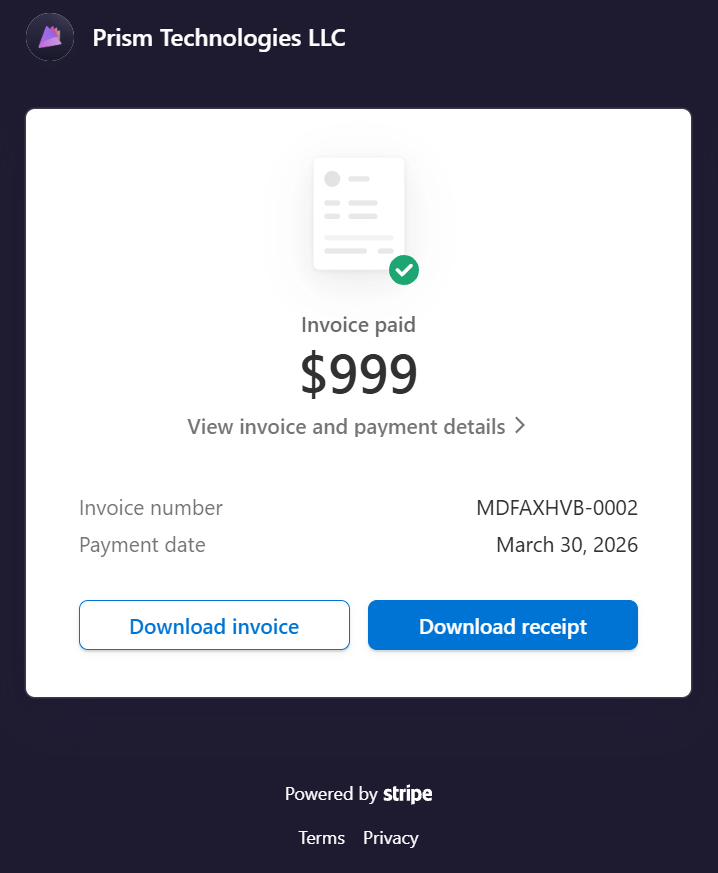
Every charge on your account appears in the **Billing History** section at the bottom of the Subscription page. Each entry shows the invoice number, date, and amount. Click an invoice number to view and download the full invoice from Stripe, for example for your records or bookkeeping.

<figure><img src="/files/VL5MxsJu4F9OGcKqaNBz" alt="A paid invoice opened on Stripe" width="400"><figcaption><p>Each invoice opens on Stripe, where you can download the invoice or the receipt.</p></figcaption></figure>


---

# Agent Instructions
This documentation is published with GitBook. GitBook is the documentation platform designed so that both humans and AI agents can read, navigate, and reason over technical content effectively. Learn more at gitbook.com.

## Querying This Documentation
If you need additional information that is not directly available in this page, you can query the documentation dynamically by asking a question.

Perform an HTTP GET request on the current page URL with the `ask` query parameter, and the optional `goal` query parameter:

```
GET https://help.refractbot.com/online-dashboard/subscription.md?ask=<question>&goal=<endgoal>
```

`ask` is the immediate question: it should be specific, self-contained, and written in natural language.
`goal` is optional and describes the broader end goal you are ultimately trying to accomplish on behalf of the user. GitBook uses it to tailor the answer towards what is most useful for that goal.

The response will contain a direct answer to the question and relevant excerpts and sources from the documentation.

Use this mechanism when the answer is not explicitly present in the current page, you need clarification or additional context, or you want to retrieve related documentation sections.