> For the complete documentation index, see [llms.txt](https://help.refractbot.com/llms.txt). Markdown versions of documentation pages are available by appending `.md` to page URLs; this page is available as [Markdown](https://help.refractbot.com/online-dashboard/home.md).
# Home
The **Home** tab is the first thing you see when you log into the dashboard. It shows your checkout stats, your spend over time, and your full checkout history.
Open it here: [dashboard.refractbot.com/home](https://dashboard.refractbot.com/home)
{% hint style="info" %}
**Refract does not use license keys.** Your license is your account, and the same email and password log you into both the dashboard and the bot.
{% endhint %}
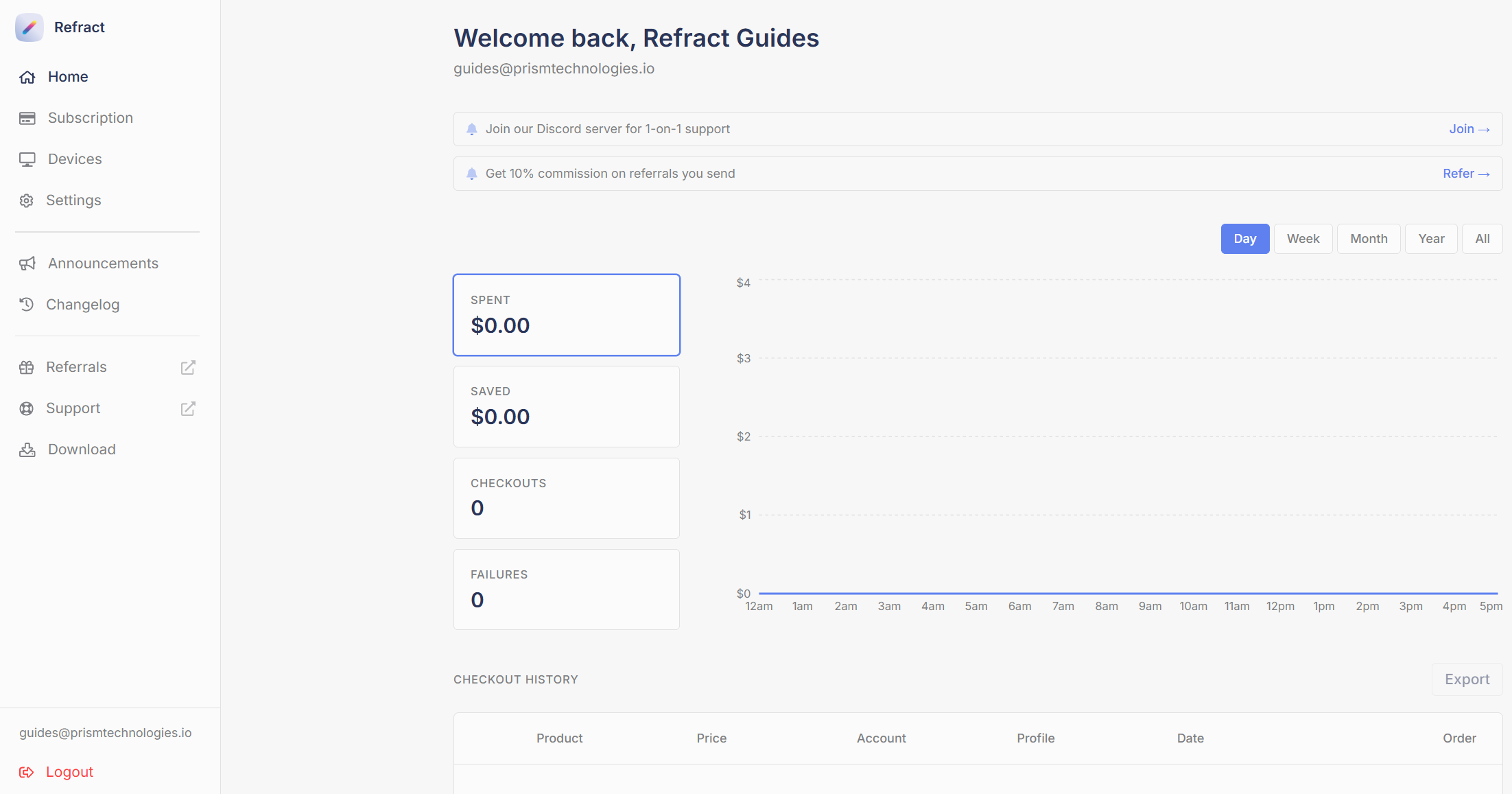
The Home tab: Discord and referral banners, your stats, and your spend chart.
## Join the Discord
The banner at the top links you to our Discord server, and everyone should join it. It is where support tickets, announcements, and 1-on-1 help live. If you only do one thing on this page, do that.
Binding your Discord account to your license is handled in the **Settings** tab:
{% content-ref url="/pages/SHoGm0XAcUkONbcwhOd8" %}
[Settings](/online-dashboard/settings.md)
{% endcontent-ref %}
## Your stats
The stat cards track your results across all your checkouts:
* **Spent:** what you have paid at checkout through Refract.
* **Saved:** for Amazon Freebies & Deals, what you have saved off the regular prices.
* **Checkouts:** total successful checkouts.
* **Failures:** checkouts that did not go through.
Use the **Day / Week / Month / Year / All** toggle above the chart to change the time range. The chart plots your spend across the selected range, and clicking a stat card switches what the chart tracks.
## Checkout history
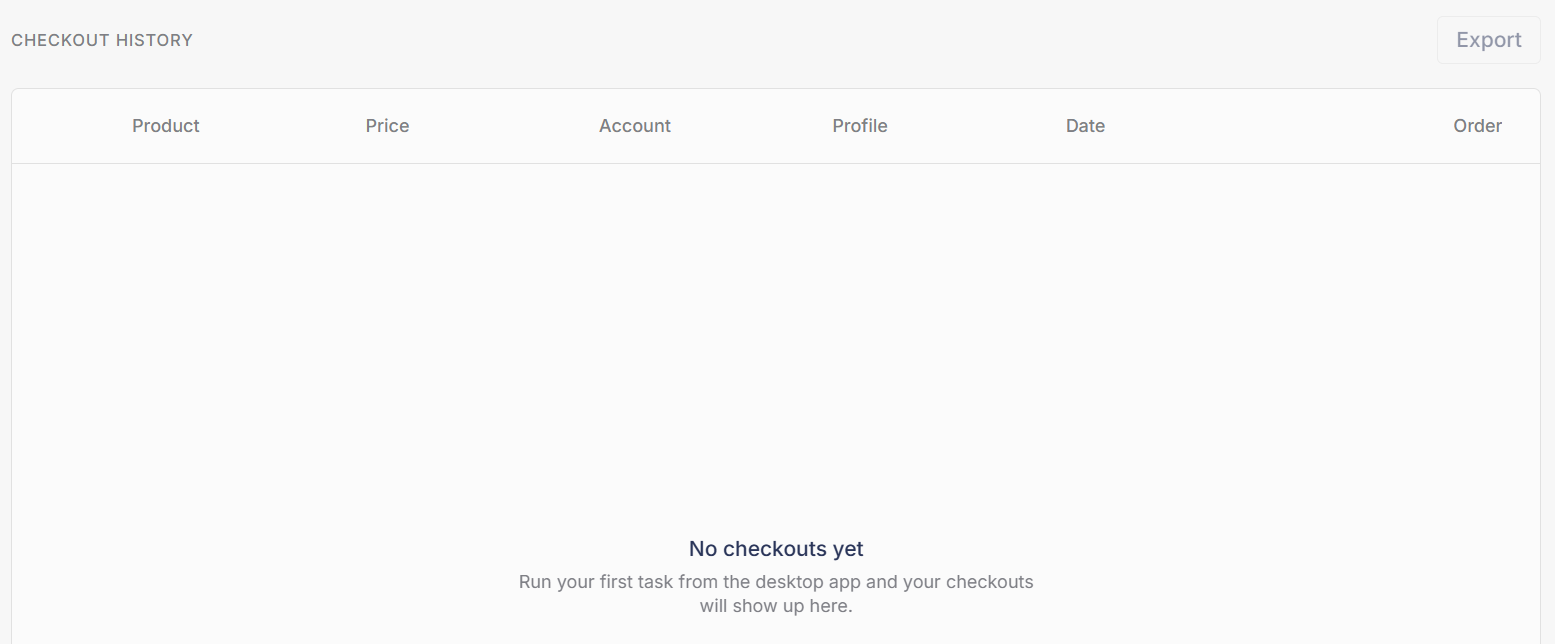
Every checkout Refract completes is logged in the **Checkout History** table at the bottom of the page, with the product, price, account, profile, date, and order number.
The Checkout History table. Once you have checkouts, Export downloads them all as a CSV.
Once you have checkouts, click **Export** to download the whole table as a CSV file. It contains the same columns shown in the table, so you can track and manage your checkouts in a spreadsheet.
## Referral program
The referral banner links to our referral program: earn a 10% commission on the first subscription fee of every person you refer, with no limit on how many people you can refer.
Sign up here: [prismtechnologies.getrewardful.com/signup?campaign=refract](https://prismtechnologies.getrewardful.com/signup?campaign=refract)
How it works:
* Payouts are handled by our payout partner, Rewardful. To claim payouts, affiliates complete KYC (Know Your Customer) verification through Rewardful.
* **No self-referrals.** You cannot refer yourself to receive a discount. Self-referrals are voided and may result in removal from the program.
* **Referral codes do not stack with discount links.** It is one or the other: a discount link saves the customer money with no referral credit, and a referral code gives the referrer credit with no discount applied.
Full terms: [prismtechnologies.getrewardful.com/terms](https://prismtechnologies.getrewardful.com/terms)
---
# Agent Instructions
This documentation is published with GitBook. GitBook is the documentation platform designed so that both humans and AI agents can read, navigate, and reason over technical content effectively. Learn more at gitbook.com.
## Querying This Documentation
If you need additional information that is not directly available in this page, you can query the documentation by asking a question.
Perform an HTTP GET request on the following URL with the `ask` and `goal` query parameters:
```
GET https://help.refractbot.com/online-dashboard/home.md?ask=&goal=
```
`ask` is the immediate question: it should be specific, self-contained, and written in natural language.
`goal` is what the user is ultimately trying to achieve, the reason they need the answer. Sharing it helps GitBook give you a better, more relevant answer. A goal is most helpful when it describes the outcome the user wants rather than restating the question. For example, with `ask=how do I create an API token`, a goal like `automate deployments from our CI pipeline` lets GitBook tailor the answer to that use case.
The response will contain a direct answer to the question and relevant excerpts and sources from the documentation.
Use this mechanism when the answer is not explicitly present in the current page, you need clarification or additional context, or you want to retrieve related documentation sections.