> For the complete documentation index, see [llms.txt](https://help.refractbot.com/llms.txt). Markdown versions of documentation pages are available by appending `.md` to page URLs; this page is available as [Markdown](https://help.refractbot.com/online-dashboard/changelog.md).
# Changelog
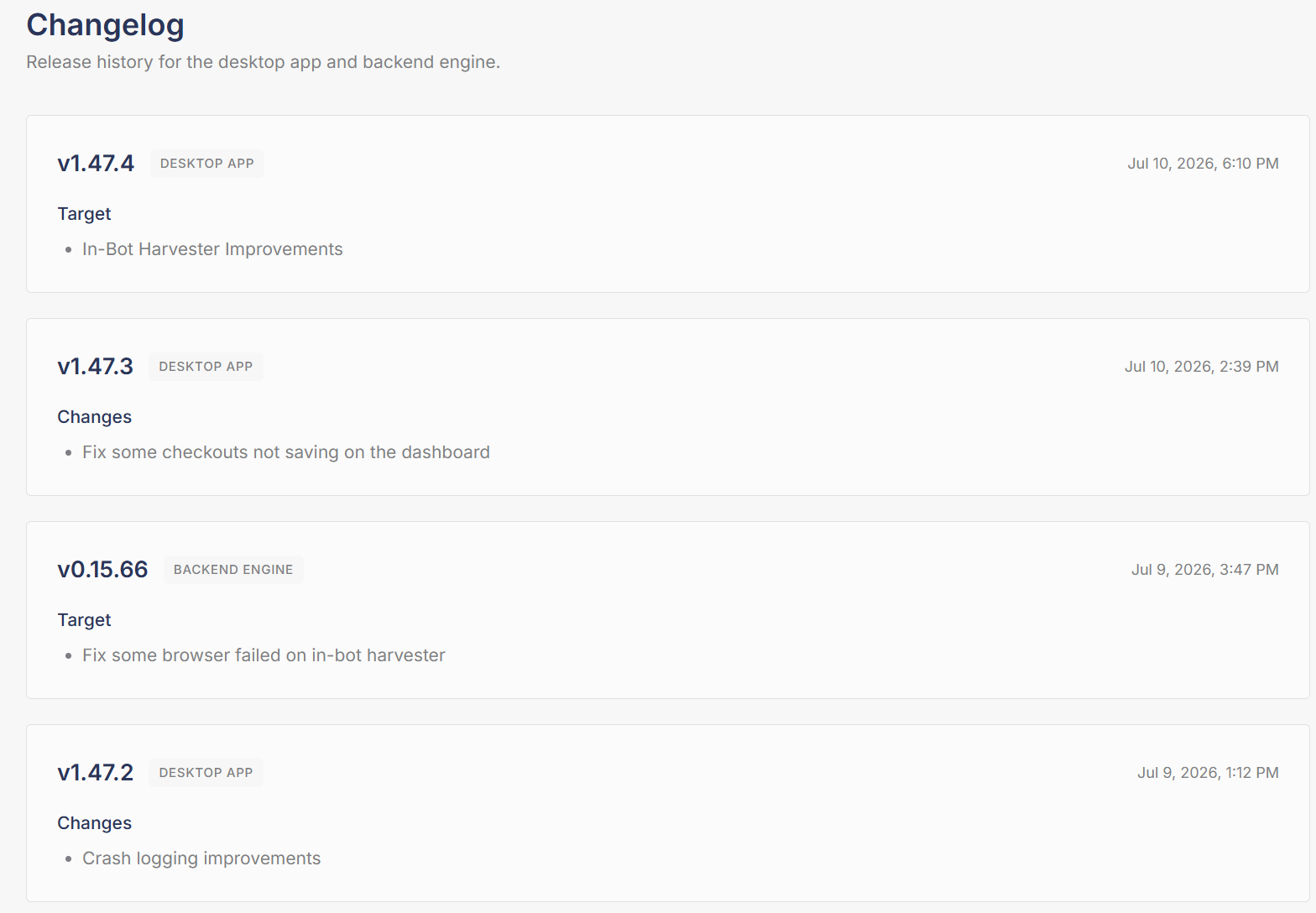
The **Changelog** tab is the release history for Refract. Every update to the desktop app and the backend engine is logged here with its version, date, and what changed.
Open it here: [dashboard.refractbot.com/changelog](https://dashboard.refractbot.com/changelog)
Every release is tagged as DESKTOP APP or BACKEND ENGINE, newest first.
## Reading the changelog
Each entry is tagged with what it updates, and the two update differently:
* **DESKTOP APP:** the Refract application you run. These are announced as **"New Update Available"** (for example `1.49.0`). Updating takes a download: close and reopen the application to be prompted, or download it from the dashboard. You can also click the version number in the bottom left corner of the bot to check for updates. The Devices tab shows which version each device is running.
* **BACKEND ENGINE:** the site modules behind the bot, essentially how the bot runs. These are announced as **"New Backend Update"** (for example `0.15.73`) and are the updates you will often see referenced during drops. Just restart for the update: close and reopen the application, that's it.
{% hint style="info" %}
**Desktop update not installing, or the update notification keeps coming back?** Download the bot again from the [dashboard](https://dashboard.refractbot.com/download) and install it over your current copy. Downloading the bot again keeps all of your data: accounts, profiles, proxies, task groups, and settings all stay. Nothing is erased.
{% endhint %}
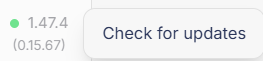
The bottom left corner of the bot shows both versions at a glance: the desktop app version first, with the engine version in parentheses.
Desktop app version on top, engine version in parentheses below. Click it to check for updates.
{% hint style="info" %}
**"My bot won't update" is usually the two numbers being mixed up.** The versions are separate tracks, and a backend engine update never changes the desktop app number. So if the announcement was a "New Backend Update" like `0.15.73`, restart the bot and look at the bottom number in parentheses. The top desktop app number staying the same, for example `1.49.0`, does not mean the update failed.
{% endhint %}
{% hint style="info" %}
**Before opening a ticket about a bug, check the changelog.** If the issue was just fixed, restarting into the latest version is faster than a ticket.
{% endhint %}
{% content-ref url="/pages/z6txClvRkkbKTdT51wj5" %}
[Devices](/online-dashboard/devices.md)
{% endcontent-ref %}
---
# Agent Instructions
This documentation is published with GitBook. GitBook is the documentation platform designed so that both humans and AI agents can read, navigate, and reason over technical content effectively. Learn more at gitbook.com.
## Querying This Documentation
If you need additional information that is not directly available in this page, you can query the documentation by asking a question.
Perform an HTTP GET request on the following URL with the `ask` and `goal` query parameters:
```
GET https://help.refractbot.com/online-dashboard/changelog.md?ask=&goal=
```
`ask` is the immediate question: it should be specific, self-contained, and written in natural language.
`goal` is what the user is ultimately trying to achieve, the reason they need the answer. Sharing it helps GitBook give you a better, more relevant answer. A goal is most helpful when it describes the outcome the user wants rather than restating the question. For example, with `ask=how do I create an API token`, a goal like `automate deployments from our CI pipeline` lets GitBook tailor the answer to that use case.
The response will contain a direct answer to the question and relevant excerpts and sources from the documentation.
Use this mechanism when the answer is not explicitly present in the current page, you need clarification or additional context, or you want to retrieve related documentation sections.