> For the complete documentation index, see [llms.txt](https://help.refractbot.com/llms.txt). Markdown versions of documentation pages are available by appending `.md` to page URLs; this page is available as [Markdown](https://help.refractbot.com/general-setup/proxies.md).
# Proxies
Proxies mask your IP address so you can run multiple tasks without getting your IP banned. This page covers adding proxy lists, how the bot assigns proxies to tasks, and how swapping lists actually works.
## Adding and managing proxies
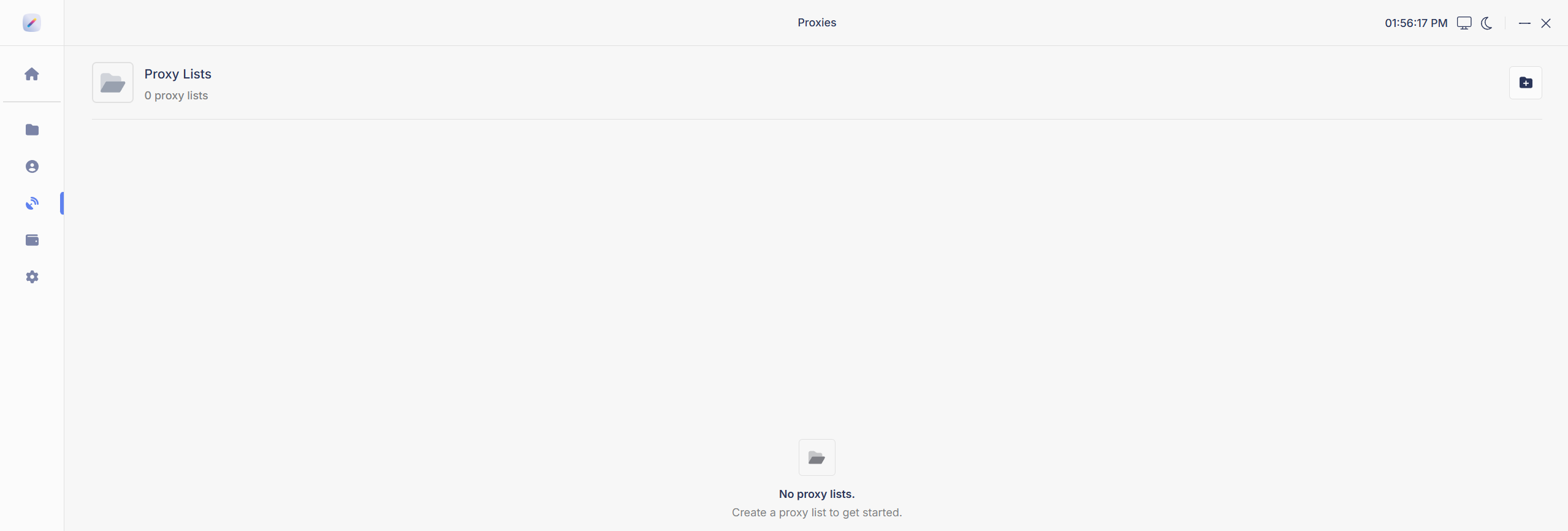
Proxies are created and managed in the Proxies tab. To create a new list, name your proxy list and paste your proxies into the proxies section.
{% hint style="warning" %}
**One proxy per line.** Each proxy must be on its own line.
{% endhint %}
One proxy per line. Duplicates are removed automatically.
{% hint style="info" %}
**Refract automatically removes duplicates** from a list and only keeps unique entries. If you pasted several proxies and only one shows, you pasted the same proxy multiple times.
{% endhint %}
## How proxies are assigned
People constantly ask how proxies are distributed and how the bot avoids giving two tasks the same proxy. Here is exactly how it works:
1. The bot shuffles your proxy list.
2. It then goes down the list in order, assigning the next proxy to each task or monitor as one is needed.
3. If it reaches the bottom of the list, it wraps back around to the top and keeps going.
So no, the first proxy in your list is not used first. The shuffle decides the order every time the list is loaded.
That is the whole system. The bot does not check for or avoid duplicates across tasks. If you have fewer proxies than tasks, proxies get reused, by design. The way to get one proxy per task is simple: have at least as many proxies in the list as you have tasks.
## Swapping proxies while tasks are running
You can change proxies while tasks are running. There is no need to stop anything to assign a new list.
However, the swap is not instant. Tasks continue using the proxy they were already on until they hit a block or error. Only then do they rotate onto the new list.
It is not possible to change proxies immediately without restarting tasks. If you need the new list applied right away, restart your tasks.
This applies to both monitor and task proxies. This is intended behavior. It has always worked this way and always will.
## FAQ
Do I need a separate proxy list for monitors?
No. On every site (Walmart, Target, all of them) you can use the same proxy list for your tasks and your monitor. A separate monitor list is only worth it if you are running Skip Monitoring and spamming hard.
How can I tell if my proxies are flagged or banned?
The easiest way to check is to run test tasks. If you can check out with those proxies on a test product, you are in good shape. If you have issues at drop time anyway, the proxies may be getting flagged when site anti-bot security is at a higher level.
What causes a proxy soft ban?
Proxy abuse: running too many tasks on a single proxy, low quality proxies, running too low a delay, and similar. All of these can lead to soft bans on sites like Amazon.
How many tasks can I run per proxy?
Ideally, 1 task per proxy, which means having at least as many proxies as tasks (see [How proxies are assigned](#how-proxies-are-assigned)). On some sites you can get away with two or even three tasks per proxy. Test this on your own setup.
What does IP banned mean?
Your proxy has been flagged by the site and blocked from accessing it. Let the proxies rest or try new proxies.
Can I run the same proxies or proxy list across multiple groups?
Across different sites, certainly. Across groups on the same site, you can try, but it is not advised. Overdoing it causes proxy bans and blocks. There is no exact ratio; experiment with your setup and roll it back if you start getting blocked.
Why is it only showing one proxy when I pasted several?
You likely pasted the same proxy multiple times. Refract automatically removes duplicates and only keeps unique entries.
---
# Agent Instructions
This documentation is published with GitBook. GitBook is the documentation platform designed so that both humans and AI agents can read, navigate, and reason over technical content effectively. Learn more at gitbook.com.
## Querying This Documentation
If you need additional information that is not directly available in this page, you can query the documentation by asking a question.
Perform an HTTP GET request on the following URL with the `ask` and `goal` query parameters:
```
GET https://help.refractbot.com/general-setup/proxies.md?ask=&goal=
```
`ask` is the immediate question: it should be specific, self-contained, and written in natural language.
`goal` is what the user is ultimately trying to achieve, the reason they need the answer. Sharing it helps GitBook give you a better, more relevant answer. A goal is most helpful when it describes the outcome the user wants rather than restating the question. For example, with `ask=how do I create an API token`, a goal like `automate deployments from our CI pipeline` lets GitBook tailor the answer to that use case.
The response will contain a direct answer to the question and relevant excerpts and sources from the documentation.
Use this mechanism when the answer is not explicitly present in the current page, you need clarification or additional context, or you want to retrieve related documentation sections.